
Vaporwave Text Generator
A vaporwave text generator turns plain words into wavy, retro style letters in seconds. Type your line and copy the aesthetic Unicode text instantly.
0 words · 0 characters
Start typing above to see font styles · ♥ to save favourites
Vaporwave Font Styles
Favourites
No favourites yet — tap ♥ on any style to save it here.
About Vaporwave Text Generator
A vaporwave text generator turns plain words into wavy, retro style letters in seconds. This Vaporwave Text Generator Tool keeps the process Simple. Type a line, then copy and paste the result wherever you want, on any app or page you like. App Installed status is Not Required here, since the tool runs straight from a browser, and an Internet Connection is not needed once the page has loaded. The service stays Free, so there is no need to Run App downloads or hidden software.
This tool is part of our wider collection of style-based font generators that are all free, all copy-paste ready.
Features of Vaporwave Text Generator
The tool packs Amazing Features into one clean page. Type Text into the box, and it will Generate styled output right away. You can Generate Vaporwave Texts for almost any purpose, and the resulting Vaporwave Texts paste cleanly into chat, bio, or caption fields. It Works Without Internet once loaded, and there is no Need App download at any point. Since it runs on the Latest Browser versions and Works on Maximum Browser options available today, you can Use Vaporwave Text Anywhere, on desktop or mobile.
How to Use the Vaporwave Text Generator
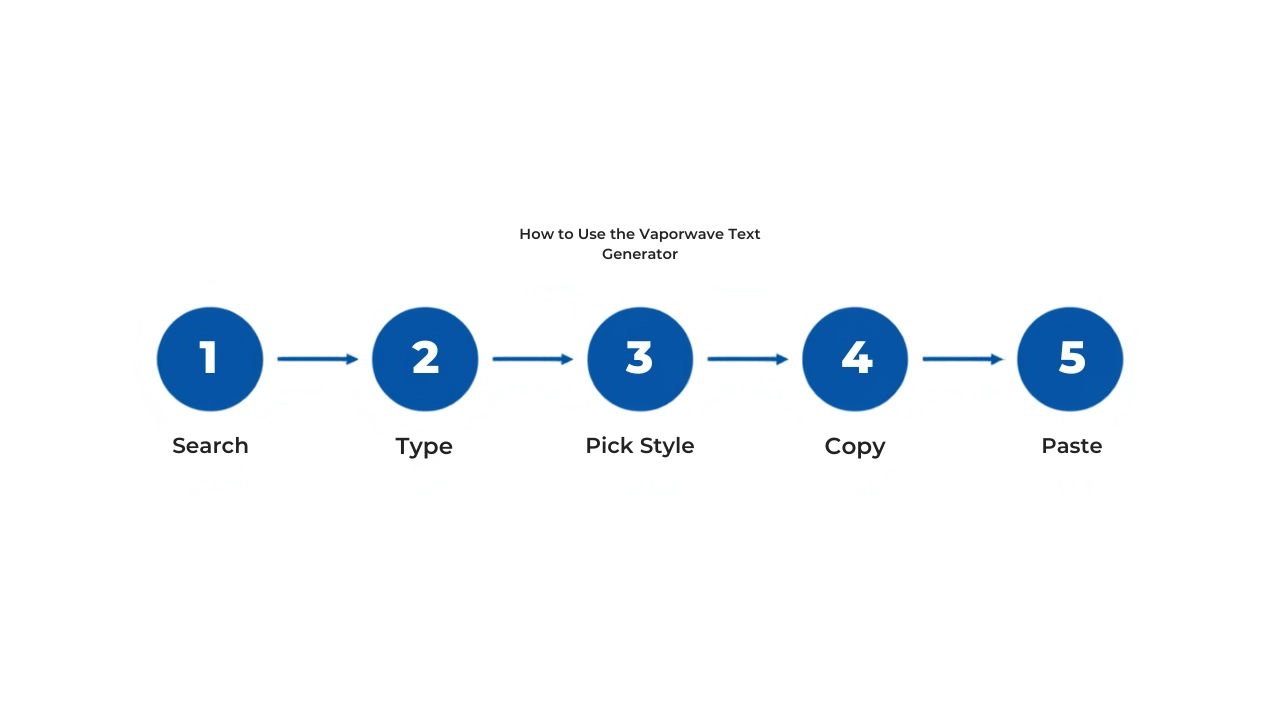
Search Vaporwave Text Generator and open the page.
Type your line into the Input Box in plain English.
Pick Your Font Style, choosing the Font Style that suits the mood.
Press the Copy Button.
Paste the line into Any Platform in use.
For more choices, Scroll Down the page and Follow the Steps again with a new style.
Results appear Instantly, so anyone can Copy Vaporwave Texts and enjoy Copy & Paste for Free access to the full Vaporwave Aesthetic.
Go 80s with the Vaporwave Text Generator
There is Pure Magic in how a few extra spaces can Travel Back in Time. The Vaporwave Font Generator pulls from Old-School Computers and the general Mood of the 80s and 90s, using Unicode Characters to build a look with real Personality. Type a line into the Text Field, and the Characters stretch out with Spaces in Between Characters and Deliberate Spacing, giving each piece of text a Retro-Digital Feel.
This is not random, it is a full Vaporwave Text Options set built around one Time Period and one Tone. The Vaporwave Movement grew out of 90s Pop Culture and a Music Genre built on Remixing old sounds into new Visual Art, and that same spirit carries into Online Culture today. Each Text Style here Breaks Expectations on purpose. Latin Text is normally Compact and Scannable, but Wide Characters force a reader to Slow Down and Read Each Character one by one. Familiar Letters sit inside Unfamiliar Spacing, and that gap is what gives the output its Distinctive Quality and quiet Tension.
Where to Use Vaporwave Text and the Vaporwave Text Generator
Use it for a Social Media Handle, a plain Username, an Instagram Bio, a Facebook post, or a scroll stopping Headline on Memes. Anyone who grew up posting in Old Internet Culture or the Web 2.0 Days will recognize the style fast, and it makes a fun Debut for a Forum Lurker ready to make a Vaporwave Text Post or build a new Forum Signature.
It stays Easy to Use with No Commitments Required, so you can drop a Fullwidth Username or Spaced Username into Social Media Bios whenever the Aesthetic Sensibility of the moment calls for it, since that kind of Culture rewards a little style.
On Discord it shapes Display Names, Server Nicknames, Channel Names, and pinned Messages across Vaporwave-Themed Servers, including Welcome Messages and custom Role Names, making it one of the more popular ways to add Fancy Text for Discord and boost a Discord Presence.
For Music Promotion, it dresses up Playlist Names, Track Names, and Artist Bios with an Authentic Genre Association that regular text cannot match.
It also works as a Favorite Font Tool for Art and Design Projects, giving a quick Starting Point for Display Text next to Pastel Gradients, Greek Sculptures, and Japanese Characters in a wider piece of Vaporwave Visual Art. For an even wider decorative palette to pair with vaporwave visuals, browse our Fancy Font Generator.
How to Choose the Right Font with the Vaporwave Font Generator
Picking the right style depends on where the text will live. For Informal Designs and casual Settings, like memes or Forums, there are No Rules, so treat it as a Novelty-Type Font Generator and Have Fun with bold choices. For Professional Designs, it helps to work in Tandem with a Less Stylized Generator, keeping Design Balance and a clean Polish so the message still reads well.
The Seven Vaporwave Styles
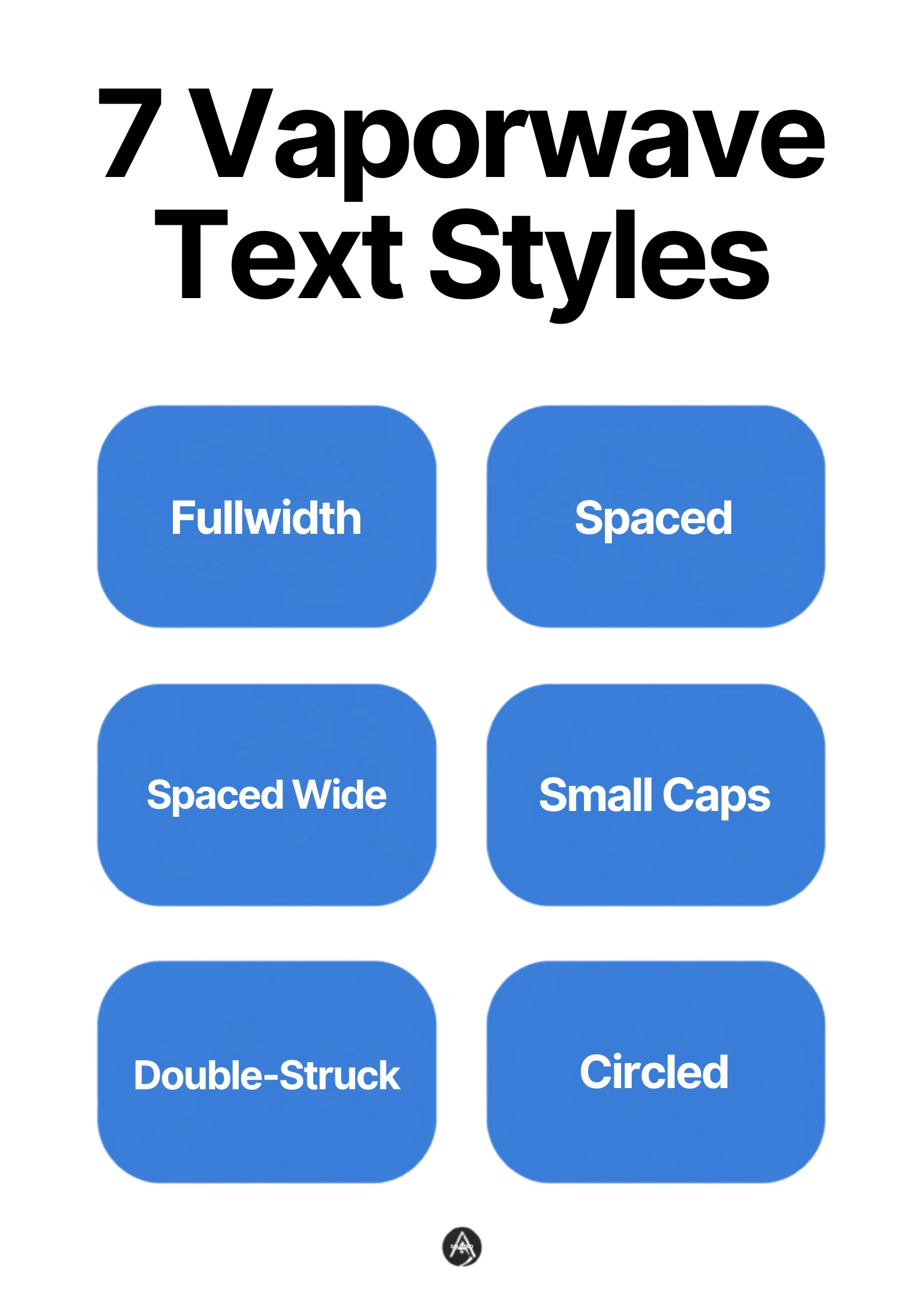
Fullwidth
Fullwidth is the Original Vaporwave Look, where every Latin Letter swaps for its Fullwidth Unicode Equivalent, producing the Signature Wide Text seen on classic Vaporwave Album Covers and Retro-Themed Posts. For the complete fullwidth collection on its own, see our dedicated Wide Font Generator.
Spaced
Spaced simply adds gaps between letters for a Slow Deliberate Reading Pace.
Spaced Wide
Spaced Wide pushes that further into a Spread-Out Style with Maximum Visual Impact, best kept to Short Phrases, Titles, and Headers.
Small Caps
Small Caps switches lowercase letters into Unicode Small Capital Letters, giving a Blocky Uniform Feel with a Subtler Effect than the wider styles. For more small-caps and tiny-text styles on their own, browse our Small Text Generator.
Double-Struck
Double-Struck uses Mathematical Double-Struck Unicode Characters, the same Blackboard Bold look from math class, with a Hollow Outline that reads as both Academic and Decorative, close to a Retro Computer Terminal font.
Circled
Circled wraps each letter in a ring for an Enclosed-Letter Look with a Badge-Like Quality, handy for Labels.
Squared
Squared places each letter inside a Filled Square for a Bold and Blocky Graphic Style, working well as a Small Tile for Profile Names thanks to its Icon-Like Appearance. Our Bubble Font Generator covers both of these enclosed-letter shapes in more depth, plus a few more circled and squared variations.
Vaporwave vs Aesthetic Text
Vaporwave began as a Cultural Movement around 2010-2012, mixing Smooth Jazz and Elevator Music samples with 80s Pop references into something Deliberately Nostalgic and Slightly Ironic. The Core Technique behind the text itself, swapping letters for fullwidth shapes, is only one small piece of that larger world.
On the Visual Side, the movement pulls from VHS Static, Early Internet Graphics, and a Visual Language built from Cultural References like the Macintosh Plus computer and 80s Consumer Culture. Aesthetic Text, by contrast, is a broader Style Label used across many a Meme, and an Aesthetic Text Generator may add Wavy Underlines (see our Underline Text Generator for that specific style) or Dotted Effects, or other Modified Characters that have nothing to do with vaporwave history at all. Both have Valid Uses, it just helps to know which one is actually the right fit.
Tips for Using Vaporwave Text
Keep It Short for best results, since it suits Names, titles, and short lines far more than a Full Paragraph, which quickly turns Hard to Read and Confusing. Treat the style as Seasoning, meant for the Right Context, not the whole meal.
Watch the Character Count too, since wide styles can turn just 2 Characters into Doubles or even Triples their normal width, so check the Platform Limits Panel on whatever app is in use and Stay Within Bounds. For extra flair, Mix Styles, pairing Regular Text with a wider style for Contrast between Styled and Unstyled Text. Need something short and high-impact without the extra width? Our Big Text Generator scales letters up instead of stretching them out.
Frequently Asked Questions
Do I Need to Install the App to Use Vaporwave Text Generator?
The answer is No, since anyone can Type or Paste text straight into the page, with no browser Extension required.
Is It Safe to Use This Vaporwave Text Generator?
Yes, this Tool stays Fully Safe and works Not Storing Any Data from anything typed in.
Does This Tool Work Offline?
Yes, the page keeps working offline after it first loads.
Can I Use Vaporwave Text for My Brand or Business?
Plenty of teams reach for it to shape a Brand Identity across Music, Art, Fashion, Streetwear, Gaming, and other Retro or Internet Culture Aesthetics projects, though it fits quieter fields as well, even a Law Firm or Medical Practice logo mockup. Since it relies on Standard Unicode Characters, there are No Licensing Restrictions to worry about, and anything built on the open Unicode Standard should render on Every Device. Looking for other internet-culture text styles to round things out? Check our Weird Text Generator or Glitch Text Generator.
Do All Devices Display Vaporwave Text Correctly?
Fullwidth Characters get Excellent Support across Modern Devices and Platforms, since they have sat inside Unicode since its Earliest Versions, built for East Asian Computing long before vaporwave existed. Circled Characters and Squared Characters have Less Universal Support, and can show as blank Placeholder Boxes on some Old Devices or Specialized Systems, though Instagram, Discord, TikTok, Twitter, and most other Social Platforms handle them fine today, and the wide styles almost always Renders Correctly.